
Radiant Lyrics
Radiant and beautiful overhaul of the TIDAL UI, From Syllable Lyrics & Glow to fancy Shaders.
Windows
macOS
Linux
Android
// the backdrop behind this page is the real shader <3
01Lyrics
Lyrics that light up as they're sung.
Line, word & syllable level timing & Beautiful styling options!Syllable level highlighting
Glow size, font scale and blur are all sliders <3
Romanization for non-latin languages
Context aware background vocals and duet positioning
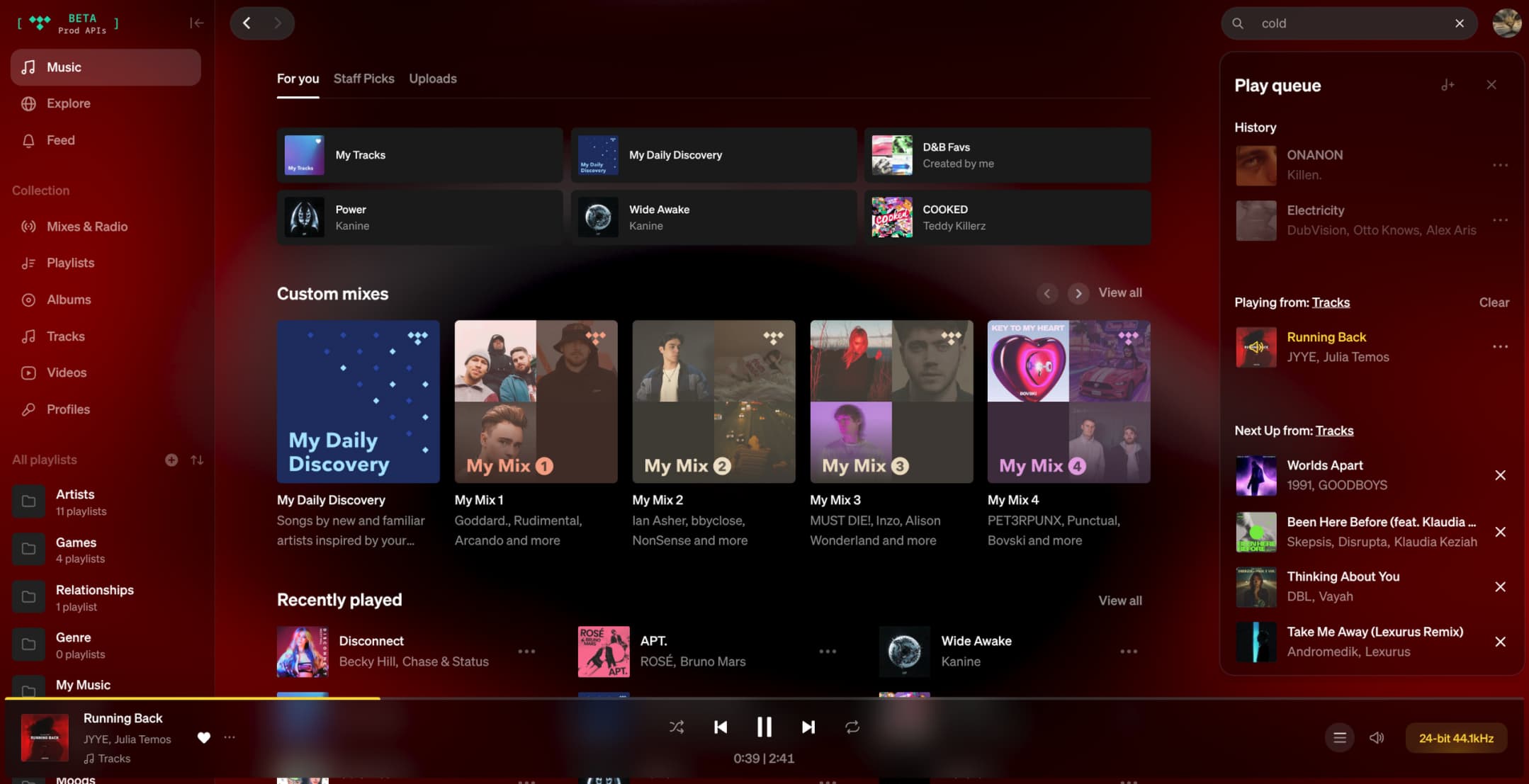
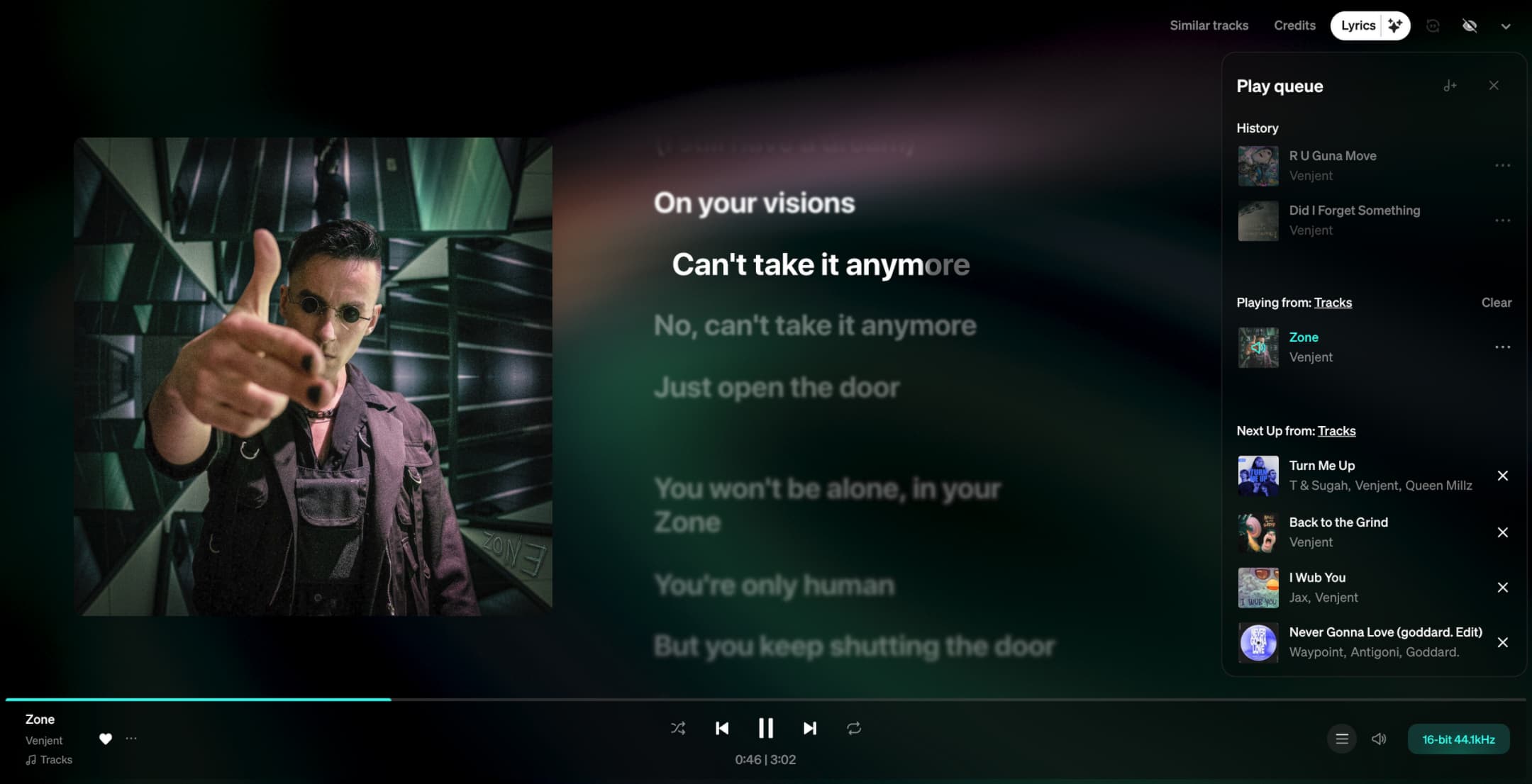
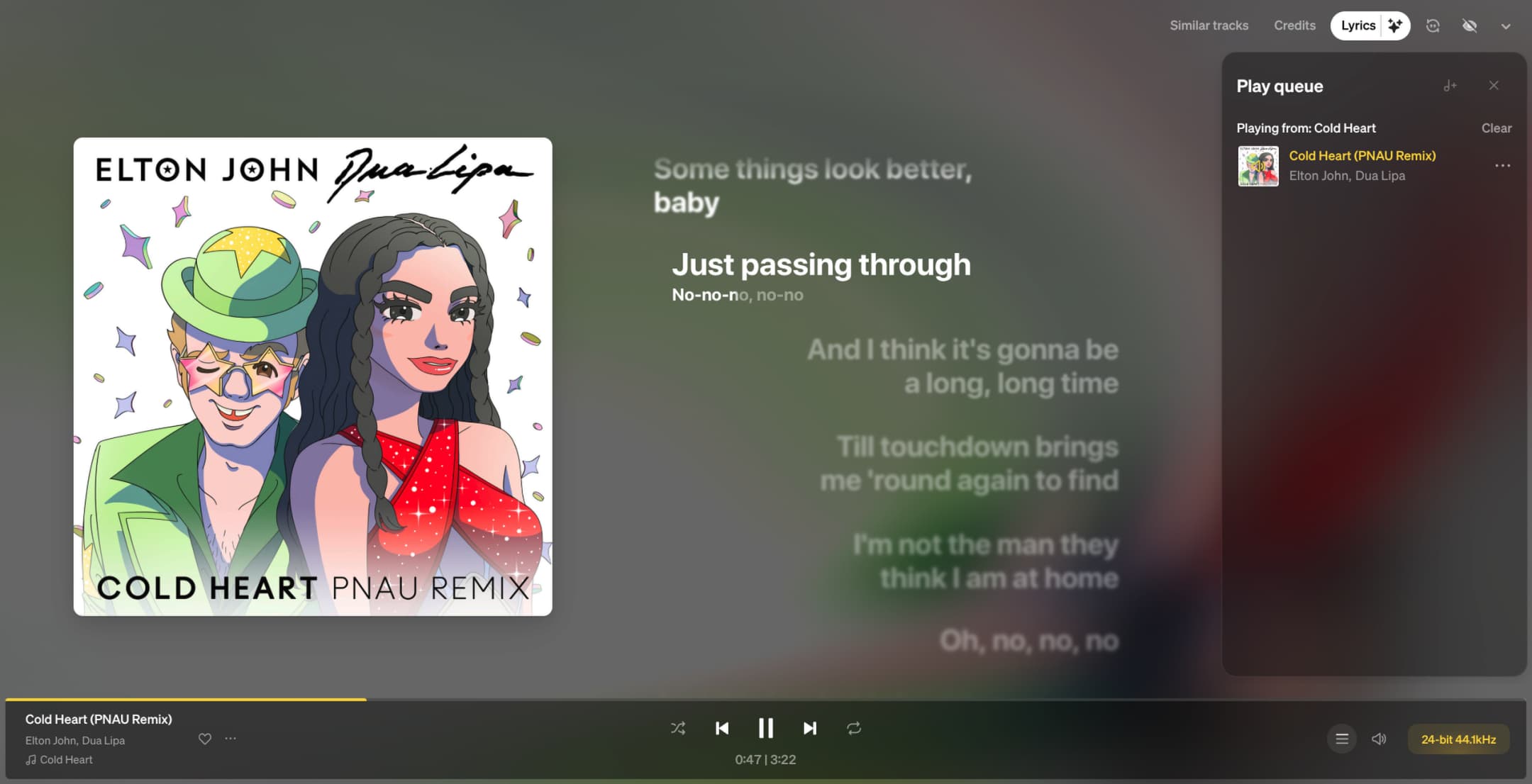
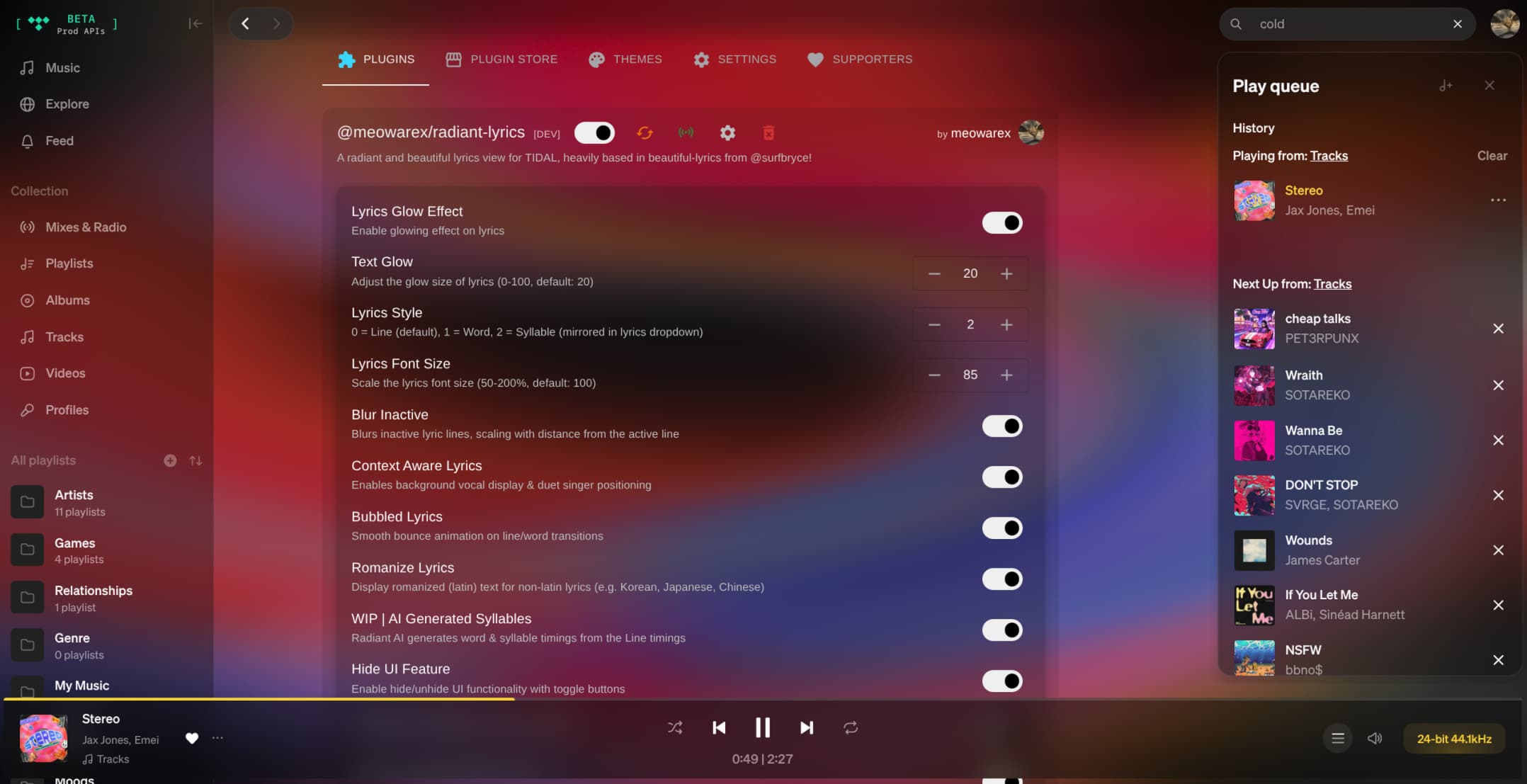
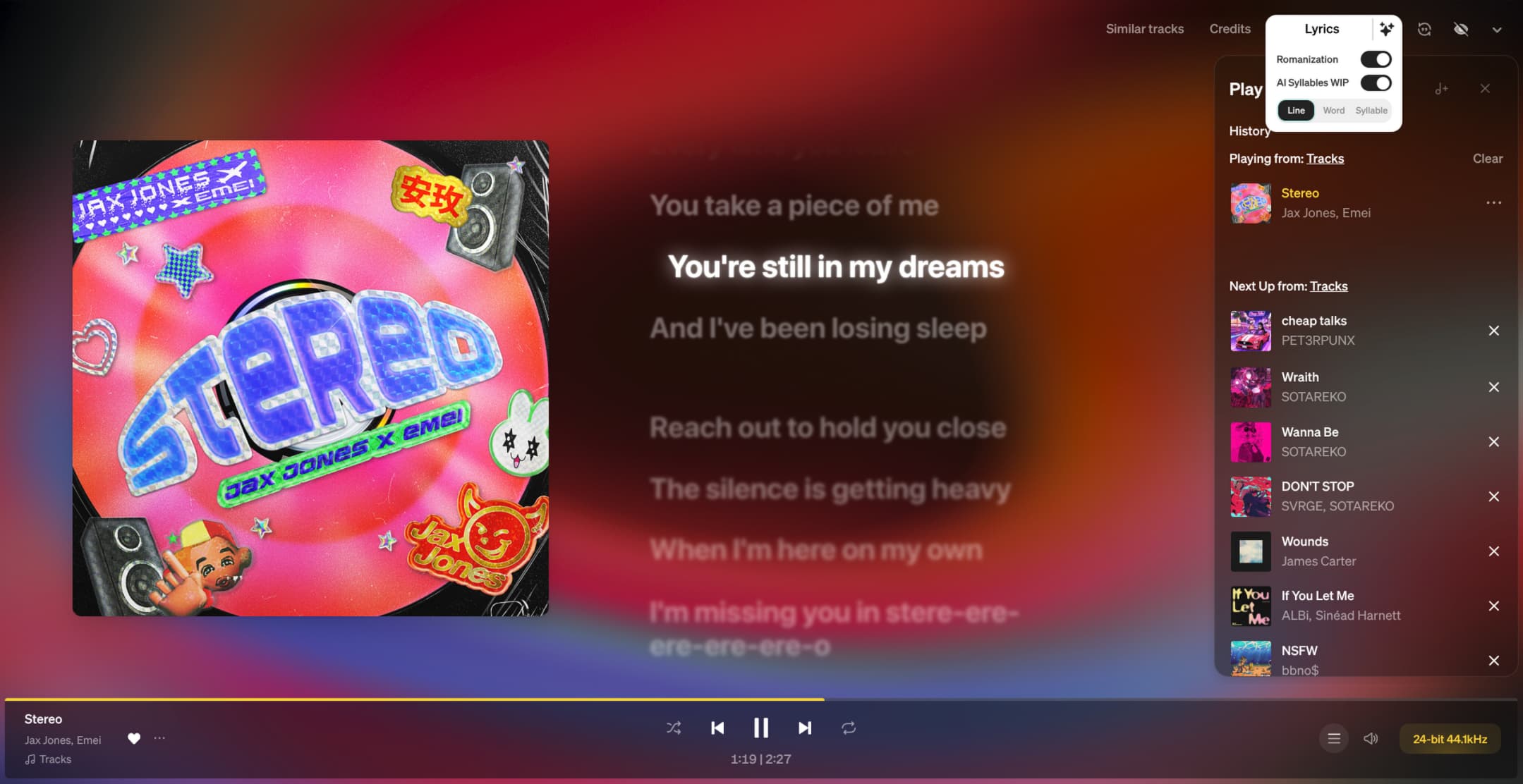
now playing · word timing
02UI
UI.. Overhauled!
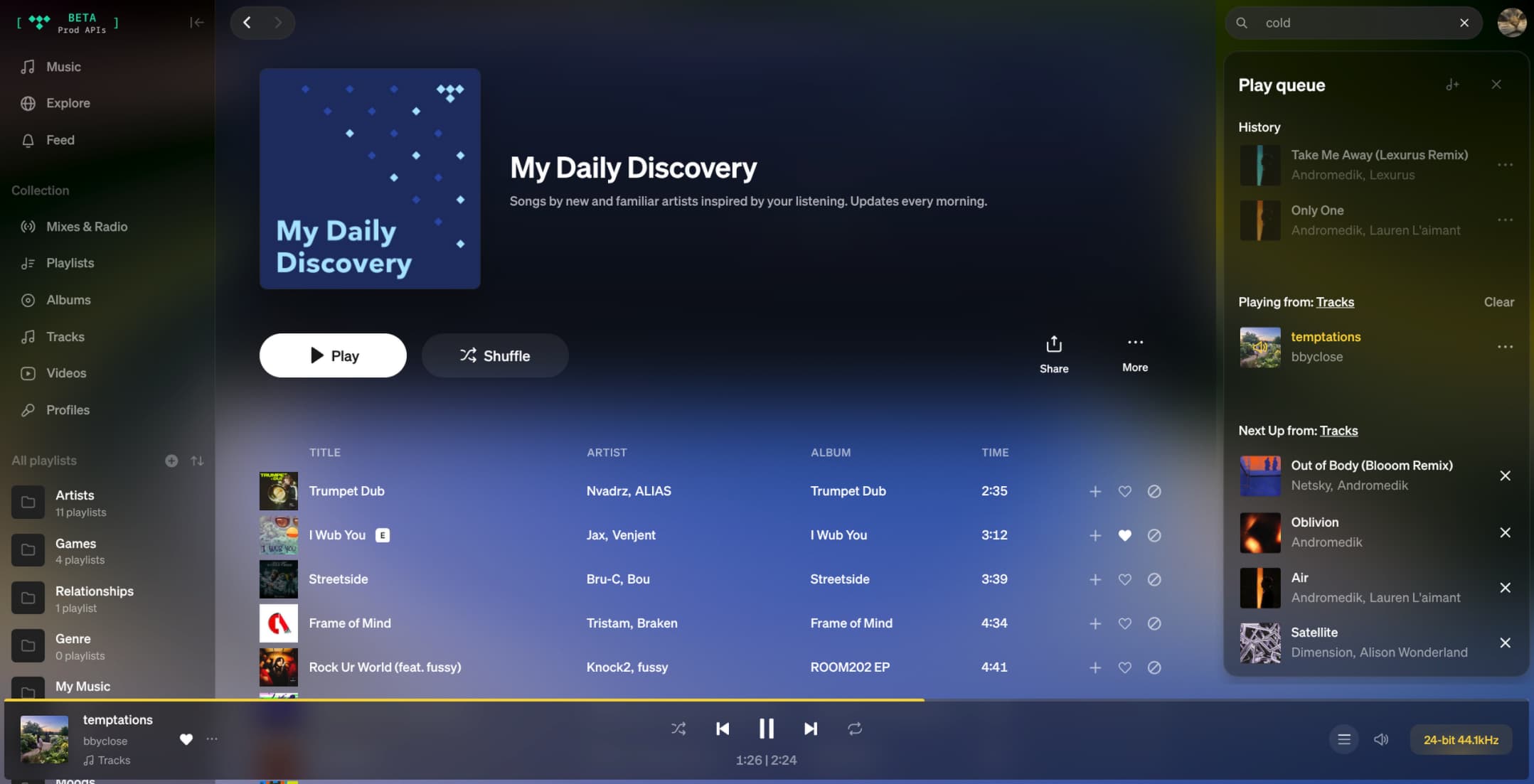
Completely changes the UI so you can really feel the radiance!Cover art shaders, reacting to playback
Floating player bar with radius, spacing and blur
Hide UI mode, and Cover Art everywhere across the app
03Everything it does
Features
On desktop it's a TidaLuna plugin. On Android it's a set of optional patches applied by a Manager app.Syllable level lyricsLine, word & syllable timings!
Radiant glowAdjustable from subtle to blinding
Cover art shadersVariety of shaders that use Kawase blur, dithering and warp effects
RomanizationLatin text for non-latin lyrics
Floating player barRadius, spacing, backdrop blur and an integrated seek bar.
Hide UI modeHide the UI for a true fullscreen view
Syllable AIA self trained model generates syllable timings from Line when unavailable
Performance modeA variety of adjustments that cut GPU/CPU load
Built on TidaLunaInstalls from the plugin store in two clicks. No patching required <3
04Getting it running
Install on desktop.
1
Install TidaLunaRadiant Lyrics runs on TidaLuna, Inrixia's plugin framework for the TIDAL desktop app.
2
Open Luna SettingsLaunch TIDAL and hit the Luna settings entry in the top right menu.
3
Find the Plugin StoreSwitch to the Plugin Store tab and scroll to Radiant Lyrics, then click to install.
4
Make it yours!Head to the Plugins tab and asjust every setting/feature.